
OmniVoice is one of the more interesting open-weight TTS models I have tested recently because it combines three things that are often split across separate tools: multilingual synthesis, voice cloning, and attribute-based voice design. The official model card lists Apache-2.0 licensing and very broad language support, but I wanted to know how it feels outside the model card: install it, run it, generate audio, and measure what actually happens.
So this is a hands-on OmniVoice review, not a feature summary. I deployed the official repository with uv, ran the model on a CUDA GPU, generated playable multilingual audio examples, captured the Gradio UI, measured latency and RTF, and kept both successful and failed tests in the notes.
The short version: OmniVoice is fast, surprisingly easy to reproduce, and genuinely useful for local multilingual voice work. Its main limitation is not speed. The limitation is control. Voice design works best as a set of supported attributes, not as an open-ended natural-language casting prompt. Voice cloning also needs a proper consented-speaker test set before anyone should call it production-ready.
Quick Verdict
Question | My answer |
|---|---|
Did it run locally? | Yes. uv setup, CLI inference, Python API, and Gradio demo all worked. |
Are the samples real? | Yes. This article includes playable WAV outputs generated during the test. |
Is it fast? | Yes for short clips. Warm runs were far faster than real time at |
Is voice design flexible? | Useful, but bounded by supported attributes. Free-form descriptions can fail. |
Is it ready for commercial voice cloning? | Promising, but only after consent, speaker-similarity tests, and product wrapping. |
Who should try it first? | Teams building local multilingual narration, internal dubbing, research pipelines, or private voice tools. |
Local Test Setup
Yes. I tested OmniVoice as a local model, not as a hosted web demo. The environment was a CUDA Linux workstation with an RTX 4090-class GPU, Python managed by uv, and the official k2-fsa/OmniVoice checkpoint downloaded from Hugging Face. I used the repository's own CLI and Gradio demo, then captured the generated files and screenshots locally.
That matters because TTS reviews can become slippery very quickly. A hosted demo might hide dependency problems, model download behavior, GPU memory usage, or startup time. A README might describe the intended path but not the small problems you hit when running it. In my test, the local path was real: the environment installed, CUDA was visible to PyTorch, the checkpoint loaded, the CLI generated WAV files, and the Gradio UI produced an output audio player.
Official sources: GitHub repository, Hugging Face model card, and arXiv paper.
Demo Evidence
The test now covers 10 successful samples:
Sample | Mode | Language or style | Audio |
|---|---|---|---|
English narration | Auto voice | English product-review narration | |
British low-pitch voice | Voice design |
| |
Mandarin auto voice | Auto voice | Chinese | |
Mandarin designed voice | Voice design |
| |
Spanish auto voice | Auto voice | Spanish | |
French public notice | Auto voice | French information-style message | |
Japanese product update | Auto voice | Japanese short product update | |
English whisper narration | Voice design |
| |
Indian English onboarding | Voice design |
| |
Generated-reference cloning | Voice cloning | English, using the first generated clip as a short reference |
I also kept one failed test because it matters: a Chinese voice-design run using unsupported free-form attributes failed with a clear validation error. That tells me OmniVoice's voice design is controlled by a supported vocabulary, not by arbitrary descriptive prose.
The Gradio UI started successfully after the model was loaded. I changed the demo labels to English before capturing screenshots so the English review would not show mixed-language UI labels.
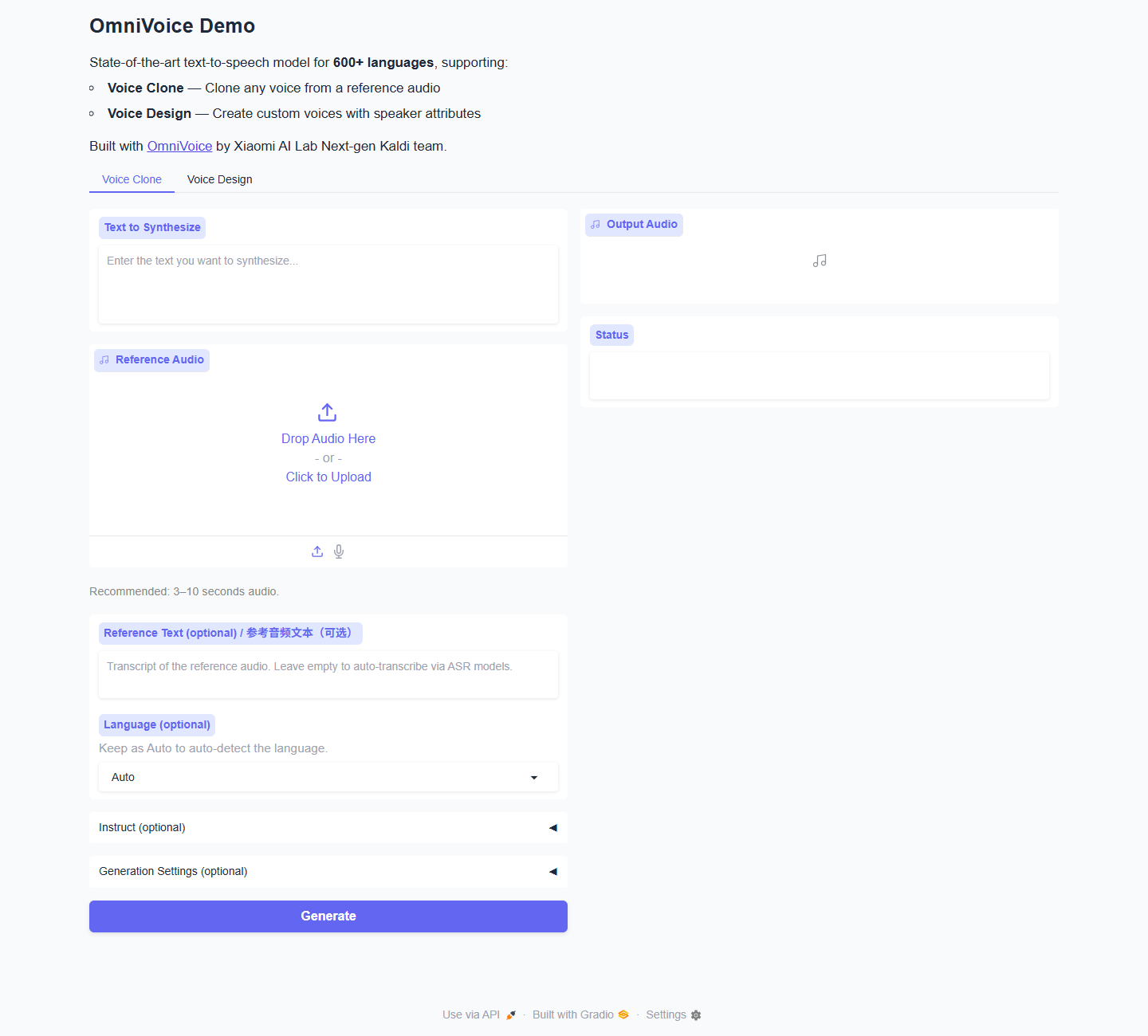
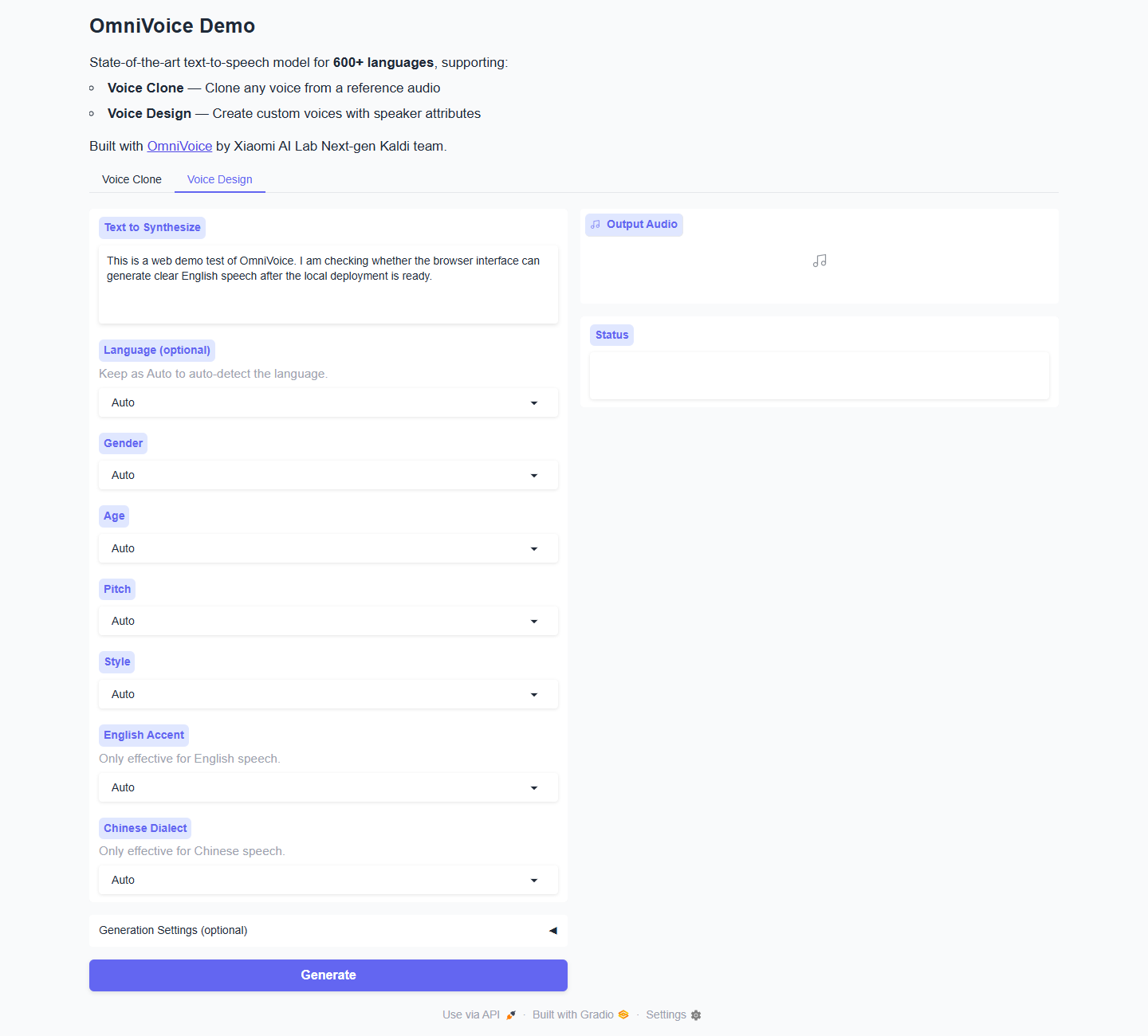
Here is the input state I used for a browser-based generation check.
After a coordinate click on the visible Generate button, the output player appeared in the UI with a short generated clip.
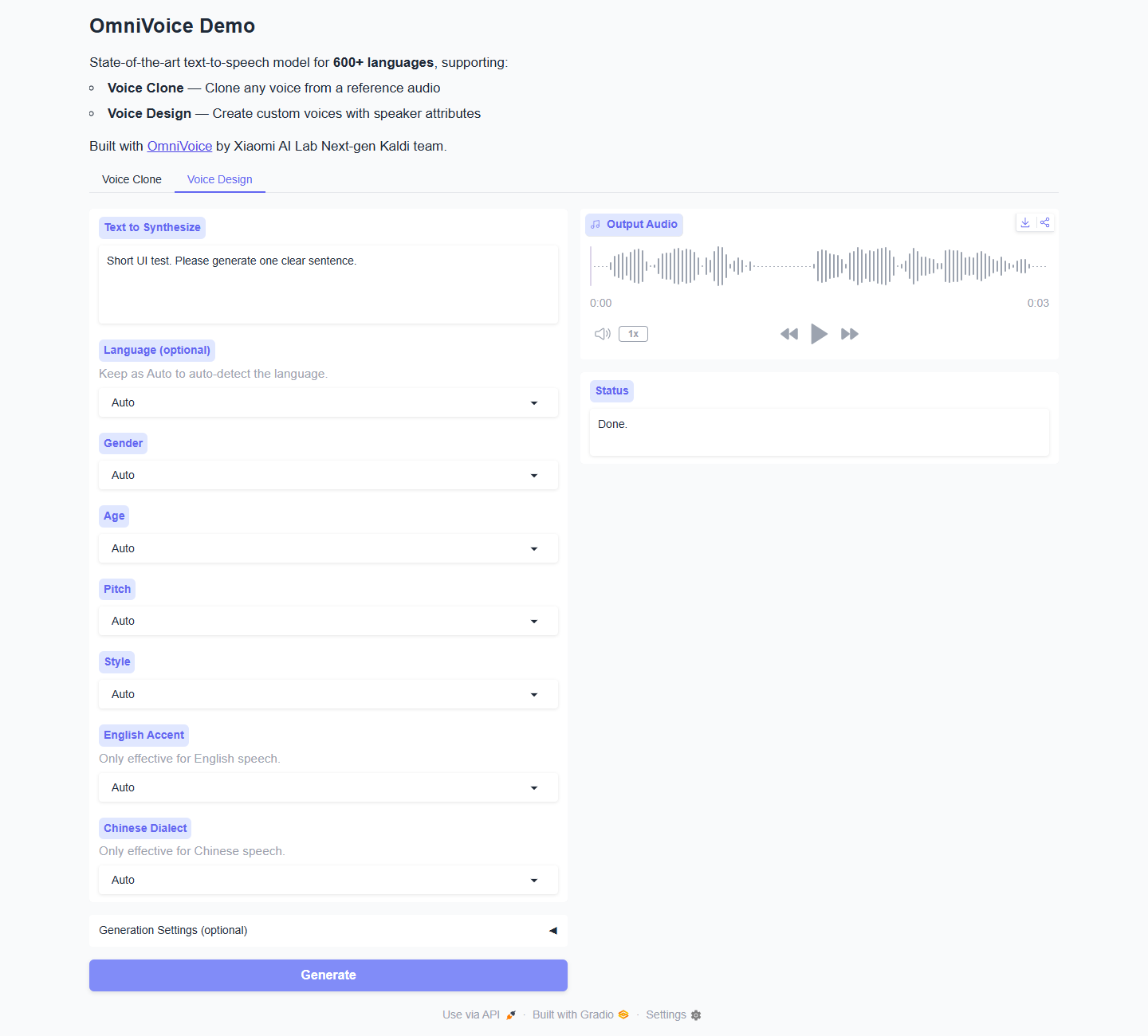
The UI is straightforward. There are two tabs: Voice Clone and Voice Design. Voice Clone wants a text prompt plus reference audio, while Voice Design exposes categorical controls such as gender, age, pitch, style, English accent, and Chinese dialect. That design is more constrained than a generic "describe any voice" prompt, but it also makes the model easier to test because the UI tells you which controls are expected.
Runtime Metrics From My Runs
I ran all successful samples with num_step=16 for a fast local test. The first run had to download and load the Hugging Face files, so cold start was much slower than warm generation. Once the model was cached, loading was fast and individual clips generated far faster than real time.
Case | Latency | Audio length | RTF | Peak allocated VRAM |
|---|---|---|---|---|
English auto voice | 0.525 s | 7.37 s | 0.0713 | 2.001 GiB |
British low-pitch design | 0.159 s | 5.72 s | 0.0279 | 2.004 GiB |
Mandarin auto voice | 0.428 s | 6.04 s | 0.0708 | 1.996 GiB |
Mandarin design with supported attributes | 0.169 s | 5.16 s | 0.0327 | 1.967 GiB |
Spanish auto voice | 0.428 s | 6.63 s | 0.0645 | 2.011 GiB |
French public notice | 0.428 s | 6.66 s | 0.0642 | 2.011 GiB |
Japanese product update | 0.172 s | 5.52 s | 0.0312 | 1.971 GiB |
English whisper narration | 0.162 s | 6.56 s | 0.0247 | 2.004 GiB |
Indian English onboarding | 0.164 s | 4.61 s | 0.0356 | 1.970 GiB |
Voice cloning from generated reference | 0.282 s | 6.22 s | 0.0454 | 2.105 GiB |
Cold model load with the files already cached was 1.4 to 2.5 seconds in my repeated tests. The first model download and load took about 237 seconds, mostly because the run had to fetch the model files. During generation, GPU memory visible from the system monitor sat around 3.1 to 3.4 GB for these short single-utterance tests, while PyTorch peak allocation was around 2.0 to 2.1 GiB.
The most important number here is RTF. An RTF of 0.07 means a seven-second clip took roughly half a second to synthesize. That is not the same as streaming first-audio latency from a production voice API, but it is excellent for offline batch generation, local agents that can buffer a reply, dubbing workflows, and dataset creation.
Quality Notes
The English auto-voice sample was clean and easy to understand. It did not sound like a tiny edge model, and the pacing felt natural for a short review sentence. The British low-pitch voice-design sample changed character enough to prove the attributes were doing something. It did not become a fully directed actor, but it produced a believable alternate speaker profile without needing reference audio.
The Mandarin samples were useful in two different ways. Auto voice worked as a direct multilingual synthesis test. The designed Mandarin sample, using English attribute names rather than free-form Chinese descriptors, also generated correctly. That makes the UI's categorical approach feel important: OmniVoice can speak across languages, but voice-design control is not unlimited. If you stay within the documented attributes, it is predictable. If you improvise unsupported wording, it refuses.
The Spanish, French, and Japanese samples showed that accented Latin text, European-language narration, and Japanese text can all work in the local pipeline. I kept a clean UTF-8 Spanish sample because an earlier command-line attempt produced mojibake in the logged text, which was my shell transport issue rather than a model limitation. The final WAV was generated from proper Spanish text. The added French public-notice sample gave me a more formal information style, while the Japanese sample added a non-Latin-script check.
The two added English voice-design samples were useful because they stressed the attribute controls rather than just language coverage. The whisper sample was a quiet narration case, and the Indian-accent sample tested a high-pitch accent combination. Both used supported attributes and completed quickly, which reinforces the practical lesson from the failed free-form test: OmniVoice is much easier to evaluate when you stay inside its documented control vocabulary.
The voice cloning sample used a generated English clip as a reference rather than a real human speaker. That is not a full speaker-similarity evaluation, but it does test the reference-audio path without using a private voice. The run completed quickly and produced a new English sentence conditioned on the reference audio. For real production voice cloning, I would test with consented 3 to 10 second recordings from the actual speaker and compare multiple emotional and phonetic prompts.
What Surprised Me
The speed surprised me most. I expected a model advertised around massive language coverage to feel heavier. Instead, after caching, short generation calls were comfortably below real-time. The local GPU was barely stressed for these single samples, and the warm model load was only a couple of seconds.
The second surprise was how strict voice design is. Many modern generative interfaces invite users to type natural language descriptions like "warm, friendly, podcast host, slightly smiling." OmniVoice does not work like that today. Its supported attributes include items such as male, female, child, teenager, young adult, elderly, pitch levels, whisper, several English accents, and several Chinese dialects. The constraint is not a flaw if the UI communicates it. It becomes a problem only if a user expects unconstrained prompt-to-voice control.
The third surprise was that the official uv setup was smooth. Some TTS projects still require fragile conda stacks, pinned CUDA builds, or manual vocoder downloads. OmniVoice's pyproject.toml already contains uv configuration for CUDA 12.8 PyTorch wheels, and uv sync created a working environment for me. That is a very real advantage for developers who want to reproduce tests.
OmniVoice vs F5-TTS, XTTS v2, Fish Speech, Kokoro, CosyVoice, and APIs
OmniVoice is easiest to understand if you separate four goals: widest language coverage, best arbitrary voice cloning, smallest local runtime, and managed production streaming.
F5-TTS remains a strong open-source reference point for zero-shot voice cloning. Its official repository describes a flow-matching approach with a DiT-style model family, and it has become a common baseline for natural cloning demos. The trade-off is licensing and ecosystem fit. If you are evaluating research-style cloning quality, F5-TTS is still worth testing. If you need broad multilingual reach and Apache-2.0 model licensing, OmniVoice is more attractive.
XTTS v2 is still popular because it made reference-clip voice cloning practical for many users and supports multilingual cloning from short clips. But commercial use is constrained by its model license, and the original company situation has made long-term stewardship less straightforward. For hobby dubbing, XTTS v2 remains useful. For a new product that needs open-weight control and broad language coverage, I would test OmniVoice or Fish Speech first.
Fish Speech is a strong commercial-friendly cloning candidate because it is Apache-2.0 and designed around high-quality voice generation. In third-party TTS comparisons, Fish Speech and CosyVoice often score well on speaker similarity, though some older tests report much slower latency under specific setups. I would consider Fish Speech when the core job is cloning a smaller set of voices with high fidelity. I would consider OmniVoice when the language matrix is the differentiator.
Kokoro is almost the opposite of OmniVoice. It is compact, fast, efficient, and excellent for local narration with preset voices. It is not trying to clone any arbitrary reference speaker. If you need a lightweight assistant voice on modest hardware, Kokoro is often the cleaner choice. If you need voice cloning and hundreds of languages, OmniVoice belongs in the shortlist.
CosyVoice is a major multilingual voice generation family from FunAudioLLM. It has a mature ecosystem, inference scripts, and strong Chinese and multilingual relevance. If your workflow already depends on CosyVoice, OmniVoice does not automatically replace it. I would compare them with the exact languages, reference clips, and latency budget you care about. OmniVoice's paper reports competitive Chinese, English, and multilingual metrics, but the real decision should still come from same-prompt audio tests.
Hosted voice APIs such as ElevenLabs, MiniMax, Gradium, and other managed systems are a different category. They win on product polish, streaming, voice libraries, support, and operational simplicity. OmniVoice wins when you need local control, open weights, reproducibility, lower marginal cost, and unusual language coverage. If I were building a consumer app tomorrow, I would still compare hosted API first-byte latency and voice consistency. If I were building an internal dubbing tool, research pipeline, private assistant, or multilingual dataset generator, OmniVoice would be much more compelling.
Best Use Cases
OmniVoice is a strong fit for local multilingual TTS testing. The model's language coverage lets you prototype voices across markets without changing providers or stacking several separate models. It is also a strong fit for offline batch generation, because the warm generation speed is excellent for short clips.
It is also useful for consented voice cloning experiments. The official guidance recommends a short reference clip, and the local API exposes both reference audio and reference text. That makes it straightforward to build a repeatable test harness with the same speaker, the same scripts, and multiple target languages.
Voice design is useful when you need broad control categories, not exact casting. It can create a male, low-pitch, British-style voice or a female, young-adult, moderate-pitch voice, but I would not expect it to obey long creative descriptions. Treat the attributes as knobs, not prose prompts.
For production, I would use OmniVoice when local deployment matters: privacy, cost control, offline operation, reproducibility, or language coverage. I would hesitate if the product requires sub-200 ms conversational first audio, guaranteed streaming behavior, a polished nontechnical dashboard, or legal review around cloned public figures.
Use case | Fit | Why |
|---|---|---|
Multilingual draft narration | Strong | Fast warm generation and broad language coverage make iteration cheap. |
Internal dubbing prototypes | Strong | Local control helps teams test scripts before paying for studio review. |
Research or evaluation pipelines | Strong | uv setup and Python access make repeatable testing practical. |
Private assistants | Medium to strong | Good for buffered local speech, but full conversational streaming needs separate benchmarks. |
Exact celebrity-style voice casting | Poor | This is not a free-form imitation tool, and consent rules matter. |
Polished hosted voice product | Medium | The model is capable, but product UI, streaming, logging, and safety layers are still your job. |
Limitations I Hit
The biggest limitation I hit was instruct validation. Unsupported voice-design attributes fail. That is better than silent nonsense, but it means documentation and UI affordances matter. Users should not paste arbitrary voice descriptions and expect them to work.
The Gradio UI needed care for English screenshots. Its original labels are bilingual, and browser locale can make Gradio's footer and upload hints appear in another language. For an English-facing article or product demo, I changed labels to English before capturing evidence.
The browser UI generation was also more finicky to automate than the Python API. The model itself generated quickly through the API and CLI, while the Gradio front end required visible-control targeting because hidden tab elements remain in the DOM. That is a testing nuisance rather than a model problem, but it matters for automation.
Finally, my tests were short utterances. I did not test long-form audiobook paragraphs, five-minute continuity, heavy batch loads, emotional dialogue, noisy reference clips, or real speaker similarity with consented human references. Those are the next tests I would run before recommending OmniVoice for a paid dubbing pipeline.
How I Would Use OmniVoice After This Test
After running these samples, I would not position OmniVoice as a one-click replacement for every commercial voice product. I would position it as a very strong local engine for teams that need multilingual coverage, predictable offline generation, and the ability to inspect their own inference stack. That distinction matters. A managed voice API gives you a finished service. OmniVoice gives you a capable model that you can own, test, wrap, and adapt.
For a small studio making multilingual explainer videos, I would start with OmniVoice for draft narration. The fast warm inference means editors can regenerate short lines quickly. The broad language list also means the team can test several markets before deciding which languages deserve professional recording or deeper QA. I would still ask native speakers to review pronunciation, pacing, and tone before publishing. Multilingual TTS is not only about whether words are intelligible. It is also about whether the voice sounds appropriate for the audience.
For a private assistant, I would use OmniVoice when local processing is more important than instant streaming. The RTF numbers I measured are fast enough that a short assistant answer can be synthesized after the text response is ready. If the assistant needs live interruption, partial sentence streaming, or very low first-audio latency, I would benchmark the full app rather than assuming the short offline RTF tells the whole story.
For voice cloning, I would build a consent-first test set. That means collecting a clean 3 to 10 second clip from the speaker, writing down the exact reference transcript, and testing multiple target scripts: neutral narration, numbers, names, a question, a longer sentence, and a multilingual sentence if cross-lingual cloning matters. I would also compare the output against a non-cloned voice-design sample. That comparison helps separate "the model speaks well" from "the model preserves this specific speaker." My generated-reference cloning test proves the pipeline works, but it is deliberately not a human identity claim.
For product engineering, I would wrap the Python API before exposing the Gradio UI to nontechnical users. The API is clean, and the model generated quickly in my script. The browser UI is useful for demos, but my automation experience showed that hidden tab elements can confuse scripted testing. A production app should build its own narrow interface: text input, language selector, reference upload, supported attribute chips, generation settings, and a visible warning about voice consent.
The practical deployment lesson is simple: cache the model, pin the environment, and record your generation settings. My cold run was dominated by downloading and loading files. Warm runs were quick. If a team reports that OmniVoice is slow, I would first ask whether they are measuring first download, first load, or actual warm synthesis. Those are three different numbers. I would also ask about step count. I used 16 steps for speed; the default or higher values may improve quality at the cost of latency. A good review should report both, because users building an audiobook tool and users building a chat assistant do not have the same budget.
My overall feeling after the hands-on test is positive. OmniVoice feels like a model that belongs in any serious local TTS evaluation, especially when English-only models are too narrow and hosted APIs are too restrictive. It still needs careful prompt discipline, human language review, and consent rules. But the combination of uv-friendly setup, Apache-2.0 licensing, broad language coverage, and fast short-form generation gives it a real place in the 2026 open-weight voice stack.
If I had to summarize the test in one line: OmniVoice is not the most polished voice product, but it is one of the most practical local starting points I have seen for multilingual TTS experiments.
Scorecard
Category | Score | Notes |
|---|---|---|
Setup reproducibility | 9/10 | uv setup worked cleanly with the official repository. |
Local speed | 9/10 | Short samples were far faster than real time at 16 steps. |
Multilingual reach | 10/10 | Official model card lists 646 languages, and my English, Mandarin, Spanish, French, and Japanese samples ran locally. |
Voice cloning practicality | 8/10 | API path worked, but real speaker evaluation still needs consented reference clips. |
Voice design flexibility | 7/10 | Useful documented attributes, but not free-form prompt control. |
UI polish | 7/10 | Functional Gradio demo, but bilingual labels and hidden tab DOM complicate screenshots and automation. |
Production readiness | 7/10 | Strong local model, but streaming and operational polish need separate engineering. |
Installation Environment
Item | Value I used |
|---|---|
OS | Ubuntu 22.04 class Linux |
GPU | NVIDIA RTX 4090 class CUDA GPU |
Python | uv-managed Python 3.12 |
PyTorch | 2.8.0 with CUDA 12.8 wheels |
OmniVoice source | Official GitHub repository |
Model source | Hugging Face |
Demo |
|
Setup Commands
These commands follow the official repository's uv path. Run them in a fresh folder on a CUDA Linux machine.
curl -LsSf https://astral.sh/uv/install.sh | sh
export PATH="$HOME/.local/bin:$PATH"

git clone https://github.com/k2-fsa/OmniVoice.git
cd OmniVoice

uv sync
If Hugging Face downloads are slow or blocked in your region, the official README suggests setting an alternate endpoint before running inference:
export HF_ENDPOINT="https://hf-mirror.com"
Minimal Python Test
from omnivoice import OmniVoice
import soundfile as sf
import torch

model = OmniVoice.from_pretrained(
    "k2-fsa/OmniVoice",
    device_map="cuda:0",
    dtype=torch.float16,
)

audio = model.generate(
    text="Hello, this is a local OmniVoice test.",
    language="English",
    num_step=16,
)

sf.write("out.wav", audio[0], 24000)
CLI Test
uv run omnivoice-infer \
  --text "Hello, this is a local OmniVoice test." \
  --language English \
  --num_step 16 \
  --output out.wav
Run the Web Demo
uv run omnivoice-demo \
  --model k2-fsa/OmniVoice \
  --device cuda:0 \
  --ip 0.0.0.0 \
  --port 7860 \
  --no-asr
Use --no-asr when you plan to provide reference text manually or only need voice design. Remove it if you want the demo to load the ASR model for automatic reference transcription.
FAQ
Is OmniVoice open source?
The official Hugging Face model card lists Apache-2.0 licensing. Always check the current model card and repository before shipping a product, because model and dataset terms can change.
How many languages does OmniVoice support?
The Hugging Face model card lists 646 languages, and the GitHub README describes "600+ languages." My local tests covered English, Mandarin, Spanish, French, and Japanese rather than the full list.
Does OmniVoice need a GPU?
For practical local generation, I recommend a CUDA GPU. My short tests used roughly 3.1 to 3.4 GB visible GPU memory during generation, with PyTorch peak allocation around 2.0 to 2.1 GiB. Larger batches, longer clips, or higher step counts can require more.
Can OmniVoice clone any voice?
Technically it supports zero-shot voice cloning from a short reference clip. Ethically and legally, you should only clone voices with permission. Do not clone a private person, public figure, customer, colleague, or performer without clear consent.
Is voice design free-form?
No. In my test, unsupported free-form attributes failed. Use documented attributes such as gender, age, pitch, whisper, supported English accents, and supported Chinese dialects.
Is OmniVoice better than F5-TTS?
It depends on the job. F5-TTS is still a strong cloning baseline. OmniVoice is more compelling when Apache-2.0 licensing and very broad multilingual coverage matter.
Is OmniVoice better than ElevenLabs?
For local control, open weights, and multilingual experimentation, OmniVoice is very compelling. For managed streaming, voice libraries, product polish, and support, a hosted API can still be easier.
Source Notes
Official OmniVoice repository: https://github.com/k2-fsa/OmniVoice
Official OmniVoice model card: https://huggingface.co/k2-fsa/OmniVoice
Official OmniVoice paper: https://arxiv.org/html/2604.00688v1
F5-TTS repository: https://github.com/SWivid/F5-TTS
CosyVoice repository: https://github.com/FunAudioLLM/CosyVoice
CodeSOTA TTS comparison: https://www.codesota.com/guides/tts-models
DataRoot Labs TTS comparison: https://datarootlabs.com/blog/text-to-speech-models
BentoML open-source TTS overview: https://www.bentoml.com/blog/exploring-the-world-of-open-source-text-to-speech-models